
Introduction
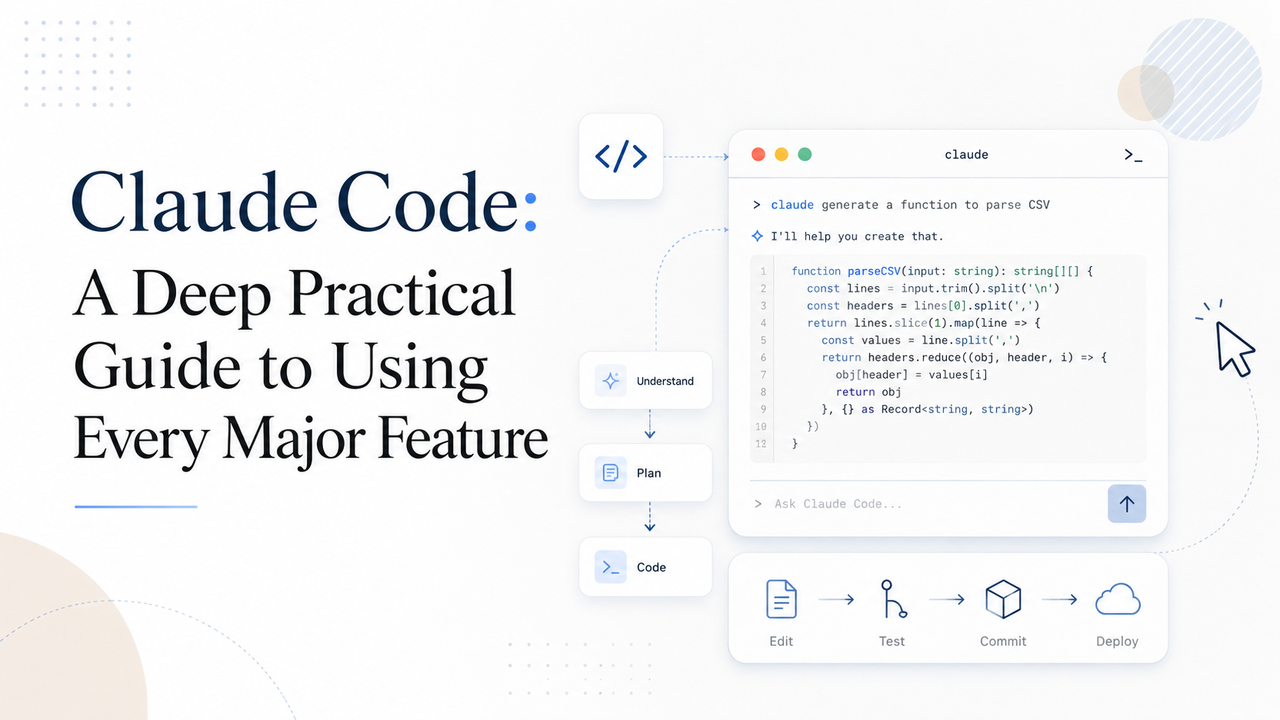
I use Claude Code not only as a coding assistant, but as a practical development partner for planning, editing, debugging, testing, documenting, and improving software workflows.
This article is written from the perspective of someone who cares about real-world AI-assisted development, not just tool hype. Claude Code, Codex CLI, Gemini CLI, Cursor, and other coding agents are becoming more powerful every month. However, many developers still evaluate these tools based on surface-level details: which one sounds nicer, which one has a cleaner interface, or which one gives more polished explanations.
That is not how I judge coding agents.
A serious coding agent should be judged by the final result: the quality of the pull request, the correctness of the implementation, the reliability of the tests, and how well it fits into an engineering workflow. The goal is not to admire the agent while it works. The goal is to give it the right context, define the task clearly, and let it produce useful work.
The central argument of this article is simple:
Claude Code becomes powerful when you stop treating it like a chatbot and start treating it like an engineering system.
That system includes context files, planning workflows, hooks, skills, command-line tools, session recovery, GitHub Actions, SDK usage, and well-designed permissions. Each feature matters most when it supports a larger development process.
This guide explains how I think about each major Claude Code feature, how I would use it in practice, where it can go wrong, and what lessons developers should take away.
How to Read This Article
This is not meant to be a quick marketing overview. It is a practical guide for developers, technical founders, AI workflow builders, and engineering teams who want to understand how Claude Code can fit into real software work.
You can read it in three ways:
As a beginner: use it to understand what the main Claude Code features are and why they matter.
As a daily user: use it to improve your workflow, avoid common mistakes, and manage context better.
As a team or enterprise builder: use it to think about governance, automation, testing, permissions, and scalable AI-assisted development.
The article is intentionally detailed because Claude Code is not just one tool. It is a collection of features that become much more valuable when they are combined correctly.
1. CLAUDE.md: The Constitution of the Codebase
The most important file in a Claude Code workflow is often the root-level CLAUDE.md file.
I think of CLAUDE.md as the constitution of the project. It tells Claude how the codebase works, what rules matter, which commands to use, what mistakes to avoid, and where to look when it needs deeper information.
Without a good CLAUDE.md, Claude has to infer too much from the codebase. Sometimes it will succeed, but often it will waste time, make incorrect assumptions, or repeat mistakes that could have been prevented with a few clear instructions.
What CLAUDE.md Should Do
A strong CLAUDE.md should answer questions like:
What is the project structure?
Which commands should be used for testing, linting, formatting, and building?
Which internal tools or wrappers should Claude prefer?
Which mistakes does Claude commonly make in this repository?
Where should Claude look when it needs advanced documentation?
What should Claude never do without verification?
However, the file should not become a giant manual. The purpose is not to explain everything. The purpose is to prevent predictable failure.
Start with Guardrails, Not a Manual
A common mistake is trying to put the entire engineering handbook into CLAUDE.md. This makes the file too long and wastes context.
A better approach is to focus on high-value guardrails.
For example, instead of writing ten pages about how your test system works, write the one command Claude should normally use:
## Testing

Use this command before committing:

```bash
./scripts/test-all.sh
If the command fails with dependency or environment errors, read docs/testing-troubleshooting.md.
This gives Claude the normal path and a recovery path without overloading the context.

### Do Not Only Say “Never”

Negative instructions are useful, but they are dangerous when they do not include alternatives.

Bad instruction:

```md
Never use the `--force` flag.
Better instruction:
Avoid `--force` in normal workflows. Prefer `./scripts/safe-reset.sh`. Only consider `--force` after checking the troubleshooting guide and explaining why it is necessary.
Claude needs direction, not just restrictions. A good rule explains the safer path.
Do Not Use CLAUDE.md to Hide Bad Tool Design
If a CLI tool needs a long explanation before Claude can use it, the problem may not be Claude. The tool may be poorly designed.
In that situation, the better solution is to create a wrapper script with a clean interface. Then document the wrapper in CLAUDE.md.
For example:
## Database Migration

Use:

```bash
./scripts/run-migration-check.sh
Do not call the lower-level migration commands directly unless this wrapper fails.
This improves the workflow for both humans and AI agents.

### Practical Example

A clean `CLAUDE.md` might look like this:

```md
# Project Guide for Claude

## General Rules
- Prefer small, focused changes.
- Do not introduce new dependencies without explaining why.
- Before committing, run the required test command.

## Testing
- Use `./scripts/test-all.sh` for full validation.
- Use `./scripts/test-unit.sh` for fast local checks.
- If tests fail due to environment issues, read `docs/test-troubleshooting.md`.

## Python
- Use the existing package manager.
- Follow the formatting rules already used in the repo.
- Do not bypass type checks.

## Internal CLI
- Use `./tools/project-cli` for standard operations.
- Avoid direct low-level commands unless the wrapper cannot handle the case.

## Pull Requests
- Summarize what changed.
- Mention tests run.
- Mention any known risks.
Key Takeaway
CLAUDE.md should be short, clear, and focused on the most important rules. It should act as a guide and safety barrier, not as a full documentation dump.
2. Context Management: Clear, Compact, and External Memory
Context is one of the most important concepts in AI-assisted development.
Claude Code may support a large context window, but that does not mean every token is equally useful. A long conversation can become messy. The agent may carry outdated assumptions, irrelevant details, failed attempts, or partial plans that no longer matter.
This is why context management is not optional. It is a core skill.
Use /context to Understand the Starting Point
Before doing serious work in a large repository, I recommend checking how much context is already being consumed.
A large monorepo can create significant overhead before the task even begins. If the session starts with a large amount of background context, the remaining space can disappear quickly during implementation.
Think of context like workspace memory. If it becomes cluttered, the agent’s reasoning becomes less reliable.
Why I Avoid Blindly Trusting /compact
The /compact feature can be useful, but I do not like relying on it blindly.
Automatic compression is opaque. You do not fully control what gets preserved, what gets removed, or how the summary represents the previous work.
The danger is not obvious failure. The danger is subtle failure. Claude may continue with a compressed understanding that is slightly wrong.
For small tasks, this may not matter. For complex changes, it can create real risk.
My Preferred Workflow: /clear and Catch Up
For many tasks, I prefer to clear the session and let Claude rebuild context from the actual branch state.
A useful custom command is /catchup, which can tell Claude to inspect all current Git changes and understand what has already been done.
The workflow looks like this:
1. Work on the task.
2. If the session becomes messy, run /clear.
3. Run /catchup.
4. Let Claude inspect the branch and continue from the code, not from a bloated conversation.
This is often cleaner than trying to preserve the entire conversation history.
For Complex Work, Create External Memory
For large features or multi-step migrations, I prefer creating a Markdown progress file before clearing the session.
For example:
# Feature Progress Notes

## Goal
Implement the new billing workflow.

## Completed
- Added database schema changes.
- Implemented service layer.
- Added initial tests.

## Remaining
- Connect API route.
- Add validation.
- Update documentation.

## Important Decisions
- Use existing billing event model.
- Avoid introducing a new queue unless necessary.

## Risks
- Migration must be backward-compatible.
- Existing tests may need fixture updates.
Then, after /clear, Claude can read the progress file and continue with a cleaner understanding.
Key Takeaway
Do not let long sessions become chaotic. Use /clear when needed. Use external Markdown notes for complex work. Treat context as a limited and valuable resource.
3. Custom Slash Commands: Shortcuts, Not a Workflow Language
Custom slash commands are useful, but they should remain simple.
I use them as shortcuts for prompts I repeat often. I do not believe teams should build a large library of complicated slash commands that everyone must memorize.
The strength of Claude Code is natural language flexibility. If the workflow becomes dependent on hidden commands, the system becomes less intuitive.
Useful Slash Commands
Two practical examples are:
/catchup
This tells Claude to inspect the current Git branch, read the changes, and summarize the state.
/pr
This helps Claude prepare a pull request by cleaning up changes, checking tests, and writing a good PR summary.
What to Avoid
Avoid turning slash commands into a private programming language.
If a developer needs to remember twenty commands before they can use the agent effectively, the workflow is too complex.
Key Takeaway
Slash commands should save typing. They should not replace good tools, clear prompts, or simple repository conventions.
4. Custom Sub-Agents: Powerful but Easy to Misuse
Custom sub-agents sound extremely useful in theory.
The idea is simple: instead of filling the main context with every detail, you delegate specific tasks to smaller agents. Those agents do the detailed work and return summarized results.
This can save context and allow parallel reasoning.
However, specialized sub-agents can also create problems.
The Main Risk: Hidden Context
If you create a specialized sub-agent, such as a PythonTests agent, the main agent may lose direct visibility into testing logic. It has to ask the sub-agent for answers instead of reasoning globally.
That can make the workflow fragmented.
The main agent should understand the overall task. If too much context is hidden inside specialized agents, the main agent becomes more like a coordinator and less like a reasoning system.
The Second Risk: Forcing Human Workflow Patterns
Another issue is that custom sub-agents often reflect how humans think work should be divided. But one of the benefits of an AI agent is that it can decide how to explore and divide work dynamically.
If I design too many rigid roles, I may limit the agent’s flexibility.
A Better Pattern: General-Purpose Delegation
A better pattern is to give the main agent strong context through CLAUDE.md and let it delegate work when needed.
Instead of a rigid “leader-specialist” structure, I prefer a “master-clone” structure:
Main Agent
  ├── General task clone for exploration
  ├── General task clone for testing investigation
  └── General task clone for documentation review
Each clone can work independently, but the main agent still owns the full reasoning process.
Key Takeaway
Custom sub-agents can help, but they can also hide important context and force rigid workflows. Use them carefully. In many cases, general-purpose delegation is more flexible.
5. Resume, Continue, and Session History
Claude Code’s resume and continue features are very useful for practical work.
A terminal can crash. A session can be interrupted. You may want to return to a previous debugging session. Resume and continue features make that possible.
Commands such as the following can restore useful context:
claude --resume
claude --continue
Learning from Old Sessions
Session history is not only useful for recovery. It is also useful for improvement.
Claude Code stores project session history under a local directory such as:
~/.claude/projects/
This history can reveal patterns:
Which commands often fail?
Which permission prompts appear repeatedly?
Which parts of the codebase confuse the agent?
Which docs are missing?
Which tools need better wrappers?
A mature AI-assisted development workflow should learn from these patterns.
Key Takeaway
Use session history as feedback. If Claude keeps getting stuck in the same place, improve the documentation, tooling, or CLAUDE.md instead of fixing the same issue manually every time.
6. Hooks: Deterministic Rules for Serious Workflows
Hooks are one of the most important features for professional Claude Code usage.
CLAUDE.md gives guidance. Hooks enforce behavior.
That difference matters.
A written instruction can be forgotten or misapplied. A hook can block an unsafe action, require a test, or provide immediate feedback.
Best Use Case: Block at Commit Time
One of the strongest patterns is to block commits unless tests pass.
For example, a hook can intercept git commit and check whether a verification file exists:
/tmp/agent-pre-commit-pass
The test script creates this file only after the required checks pass. If the file is missing, the hook blocks the commit.
This forces Claude into a loop:
write code → run tests → fix failures → test again → commit only after passing
That is exactly the kind of deterministic safety system AI coding workflows need.
Hint Hooks
Not every hook needs to block the agent. Some hooks should simply provide warnings or hints.
For example, if Claude uses a less preferred command, a hook can remind it to use the wrapper script next time.
This helps guide behavior without interrupting the workflow.
Avoid Blocking File Writes Too Early
I do not recommend blocking every file write. Interrupting Claude in the middle of implementation can confuse the agent and break its flow.
It is usually better to let Claude complete a change, then validate the final result before commit.
Key Takeaway
Use hooks for deterministic enforcement at important checkpoints, especially before commits. Avoid interrupting normal writing too aggressively.
7. Planning Mode: Align Before Building
Planning mode is essential for large changes.
When the task is small, you can ask Claude to make the change directly. But when the task affects multiple files, systems, or assumptions, planning should come first.
Why Planning Matters
Planning helps answer:
What exactly are we building?
Which files or modules will change?
What risks exist?
What tests should be run?
What should be done first?
Where should the agent stop and ask for review?
Without a plan, the agent may start implementing too early.
A Good Planning Prompt
A useful planning prompt might be:
Before writing code, create a plan for this change.

Include:
1. Current system understanding
2. Proposed implementation steps
3. Files likely to change
4. Risks and assumptions
5. Tests to run
6. Checkpoints where you should stop for review
This forces Claude to reason before acting.
Planning in Larger Teams
In a larger engineering environment, planning can be standardized. A custom planning tool built on the Claude Code SDK could produce plans that match internal technical design formats.
That allows engineers to move faster while still following architecture, security, and privacy expectations.
Key Takeaway
For complex changes, do not start with implementation. Start with a plan. Good planning reduces rework and makes the final pull request stronger.
8. Skills: The Right Abstraction for Script-Based Workflows
Skills are one of the most important ideas in modern AI-agent workflows.
A Skill gives the agent structured instructions, references, and workflows for a specific domain or task. It helps the agent know how to use tools, scripts, documents, or procedures correctly.
Why Skills Matter
Many AI workflows evolve through three stages.
Stage 1: One Big Prompt
At first, developers try to put everything into one large prompt.
This works for simple tasks but breaks down quickly.
Stage 2: Tool Calling
Next, developers create tools for the agent. This is better, but tools can become too narrow, too rigid, or too similar to raw APIs.
Stage 3: Script-Based Autonomy
The stronger model is to give the agent access to scripts, command-line tools, documents, and the real environment. The agent can then write commands, inspect files, process data, and adapt dynamically.
Skills formalize this third stage.
A SKILL.md file can explain:
when to use the skill,
what workflow to follow,
which scripts or commands are available,
what mistakes to avoid,
what output format to produce.
Why This Is Better Than Over-Abstracted Tools
A Skill does not need to hide the world from the agent. Instead, it teaches the agent how to operate in the world safely and effectively.
That is powerful because it preserves flexibility.
Key Takeaway
Skills are useful because they combine instruction, workflow, and tool knowledge into a reusable package. They are especially strong when paired with simple command-line tools.
9. MCP: Use It as a Secure Gateway, Not a Giant API Mirror
MCP, or Model Context Protocol, is useful. But I believe it is often used incorrectly.
Many MCP integrations expose too many tiny tools. They mirror internal APIs directly, creating long tool lists that are hard for agents to use well.
For example:
read_user()
read_project()
read_ticket()
update_ticket()
get_comment()
create_comment()
This may look organized, but it can create unnecessary complexity.
A Better MCP Model
A better MCP should act as a secure gateway.
Instead of exposing dozens of tiny tools, it should expose a few powerful, high-level capabilities:
download_raw_data(filters...)
take_sensitive_gated_action(args...)
execute_code_in_environment_with_state(code...)
The MCP should handle:
authentication,
permissions,
network access,
sensitive actions,
secure boundaries.
Then the agent can use scripts and reasoning to do the actual work.
When MCP Makes Sense
MCP is especially useful for complex, stateful environments.
A browser automation tool such as Playwright is a good example. Browser state, pages, clicks, screenshots, and authentication flows are complex enough that a dedicated integration makes sense.
For simpler stateless systems, a CLI tool may be easier and more flexible.
Key Takeaway
Use MCP to provide secure access to important systems. Do not overload it with too many small API-like tools. Let it be a gateway, not the entire workflow.
10. Claude Code SDK: Building Custom Agents and Workflows
Claude Code is not only an interactive terminal tool. The SDK allows developers to build custom workflows, batch processes, and internal tools around Claude Code.
This makes it useful beyond normal coding sessions.
Use Case 1: Large Parallel Code Changes
For large refactors, it may be more efficient to run Claude Code in scripted parallel workflows.
For example:
claude -p "In /pathA, change all references from foo to bar."
This pattern can be repeated across directories or services.
It may be more predictable than asking one interactive agent to coordinate a huge migration.
Use Case 2: Internal Tools for Non-Technical Users
The SDK can power internal chat tools that hide complexity from users.
For example:
a setup assistant that fixes installation errors,
a prototype generator for designers,
a debugging assistant for internal support,
a migration assistant for engineering teams.
The user interacts with a simple interface, while Claude Code handles the technical workflow behind the scenes.
Use Case 3: Rapid Agent Prototyping
The SDK is also useful for quickly testing agent ideas.
Before building a full platform, you can prototype the workflow with Claude Code and see whether the idea is useful.
Key Takeaway
The Claude Code SDK turns Claude Code into a building block for custom agents, automation, and internal development systems.
11. Claude Code GitHub Actions: From Personal Tool to Engineering System
Running Claude Code inside GitHub Actions is one of the most powerful ways to operationalize it.
The idea is simple: the agent runs inside a controlled CI environment.
That gives you:
reproducible execution,
controlled dependencies,
audit logs,
sandboxing,
access to repository checks,
integration with pull requests,
support for hooks and MCP.
Why GitHub Actions Is Powerful
A local Claude Code session is useful for one developer. But GitHub Actions allows Claude Code to become part of the engineering system.
For example, an issue, Slack message, Jira ticket, or alert could trigger a workflow that asks Claude to investigate, implement a fix, run tests, and open a pull request.
This changes the role of Claude Code from assistant to automated engineering worker.
Logs Create a Feedback Loop
GitHub Actions logs are extremely valuable.
They allow teams to review what the agent did, where it failed, which commands broke, and which parts of the workflow need better documentation.
This creates a continuous improvement loop:
Agent gets stuck → logs reveal the issue → improve tools or CLAUDE.md → future agents perform better
Example Workflow Idea
query-claude-gha-logs --since 5d | \
  claude -p "Review recent agent failures, identify common causes, suggest fixes, and open a PR."
This is the kind of workflow that turns agent usage into organizational learning.
Key Takeaway
Claude Code GitHub Actions can transform Claude Code from a personal productivity tool into an auditable, repeatable, self-improving engineering workflow.
12. settings.json: The Control Layer
The settings.json file is where Claude Code can be customized for real-world usage.
It can control proxies, timeouts, permissions, API keys, and other important behavior.
Proxy Settings
Settings such as HTTP_PROXY and HTTPS_PROXY can help inspect traffic and debug network behavior.
They are also useful for sandboxing background agents and controlling what network access is allowed.
Timeout Settings
Long-running commands may need longer timeouts.
Settings such as:
MCP_TOOL_TIMEOUT
BASH_MAX_TIMEOUT_MS
can be adjusted when the default limits are too conservative.
This matters when Claude needs to run large builds, long test suites, migrations, or analysis scripts.
API Key Management
In enterprise environments, API keys should be managed carefully.
A centralized ANTHROPIC_API_KEY setup or helper can make it easier to manage usage-based billing, permissions, and access control.
This is especially important when usage varies widely between developers.
Permission Review
Permissions should be reviewed regularly.
Claude may need broad access to be useful, but unnecessary permissions create risk. The right approach is to give enough access for productivity while still maintaining boundaries.
Key Takeaway
settings.json is not just configuration. It is part of the safety, debugging, and governance layer for Claude Code.
Practical Framework: How I Would Build a Strong Claude Code Workflow
If I were setting up Claude Code for a serious project, I would follow this process.
Step 1: Create a concise CLAUDE.md
Start with essential rules only:
project structure,
test commands,
build commands,
common mistakes,
preferred internal tools,
PR expectations.
Step 2: Add simple wrapper scripts
Instead of forcing Claude to understand complex commands, create simple scripts:
./scripts/test-all.sh
./scripts/lint.sh
./scripts/prepare-pr.sh
./scripts/check-migrations.sh
Then document those scripts in CLAUDE.md.
Step 3: Use planning for large work
Before implementation, require a plan with:
proposed approach,
affected files,
risks,
tests,
checkpoints.
Step 4: Manage context intentionally
Use /clear when the session becomes messy. For complex tasks, write progress notes to Markdown before clearing.
Step 5: Add hooks at key checkpoints
Start with commit-time hooks. Make sure tests pass before Claude can commit.
Step 6: Use Skills for repeatable workflows
Create Skills for repeated domains such as:
code review,
database migration,
release preparation,
incident analysis,
documentation cleanup.
Step 7: Use GitHub Actions for automation
Move repeatable agent workflows into CI when they need auditability, sandboxing, and repeatability.
Step 8: Review logs and improve the system
Use failures as feedback. Improve documentation, scripts, permissions, and hooks based on real agent behavior.
Common Mistakes to Avoid
Mistake 1: Treating Claude Code like a normal chatbot
Claude Code is most useful when it is connected to files, tools, tests, and workflows. Do not limit it to conversation.
Mistake 2: Overloading CLAUDE.md
A huge CLAUDE.md can become noise. Keep it focused.
Mistake 3: Trusting long sessions too much
Long sessions can accumulate confusion. Clear context when needed.
Mistake 4: Creating too many custom commands
If your workflow requires memorizing many slash commands, it is probably too complicated.
Mistake 5: Using MCP as a giant API mirror
Expose high-level gateways, not dozens of tiny tools.
Mistake 6: Skipping planning for large changes
Complex implementation without planning often leads to rework.
Mistake 7: Not learning from agent failures
Every repeated failure is a signal that your tools, docs, or workflows need improvement.
Final Conclusion
As the writer of this article, my main message is that Claude Code should not be viewed as just another AI chat interface. It should be viewed as a development system.
The real value comes from combining the pieces:
CLAUDE.mdfor project guidance,/clearand external notes for context management,slash commands for lightweight shortcuts,
careful delegation instead of rigid sub-agent structures,
resume and history for recovery and learning,
hooks for deterministic safety,
planning mode for complex changes,
Skills for repeatable workflows,
MCP for secure access boundaries,
the SDK for custom agents,
GitHub Actions for automation,
settings.jsonfor control and governance.
The best AI-assisted development workflows are not built by asking the agent to “be smarter.” They are built by designing an environment where the agent can succeed.
That means better context, better tools, better tests, better permissions, better feedback loops, and better engineering habits.
In the end, I do not judge Claude Code by how impressive it sounds while working. I judge it by the quality of the final pull request, the reliability of the workflow, and the value it creates for the developer or team using it.
Discussion
Responses
No comments yet. Be the first to add one.